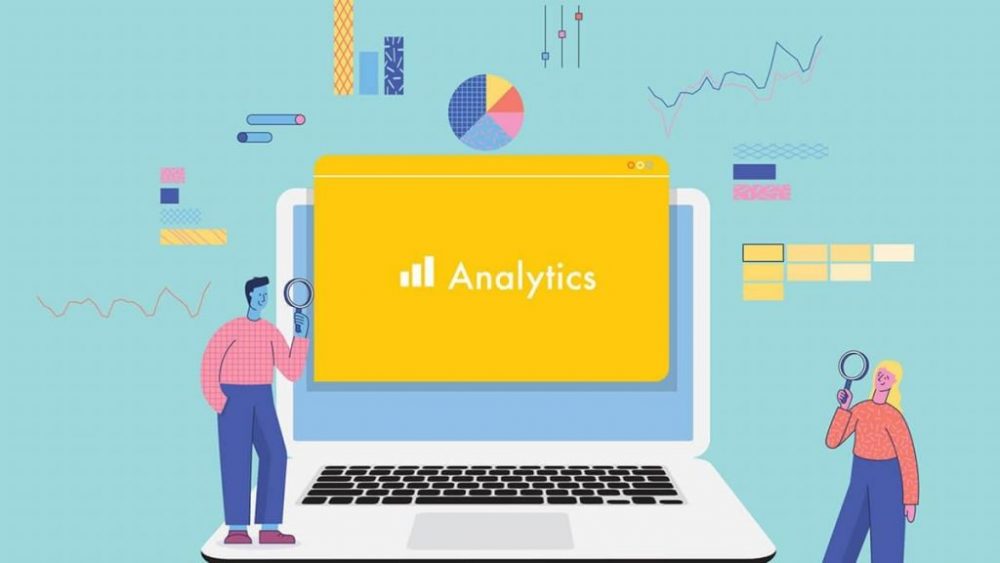
We are living in the digital world today.
So, if you want your blog, website, or online business to grow, then guessing is not enough. But you need to track down what is working for you and what is not. And this can be achieved through proper analytics and performance tracking.
I know, it might sound really complicated to you. But trust me, they are your most powerful weapons in the digital arena.
Tools such as Google Analytics 4 (GA4), Google Search Console, and Key Performance Indicators (KPIs) help you in understanding your audience.
Not just that. But they help you improve your content and make smarter decisions for your brand.
That is why, in this blog, I am going to explain everything you need to know about these tools to help you lead your competitors. Let us get started!
What Is Analytics and Performance Tracking?
Well, analytics and performance are two sides of the same coin.
So, analytics refers to the act of gathering and analyzing information regarding the usage of your site or online platforms by people.
On the other hand, performance tracking refers to measuring performance over time and determining whether your hard work is paying off or not.
So, we can say that:
- Analytics informs you about what is going on.
- Performance tracking informs you of how well you are performing.
Hence, when they are combined together, they assist you in:
- Understanding your visitors
- Improving the user experience of visitors
- Drive up traffic and conversion.
- Save your time and money
Importance of Analytics for Online Businesses
It does not matter whether you are running a blog, an e-commerce store, or a service-based business; analytics are a necessity. So, with no data, you are operating in the dark.
Hence, analytics assist you in:
- Understanding what is driving traffic to your site
- Understand what pages people like the most.
- Discover the place where users exit your site.
- Enhance the marketing initiatives.
For instance, if you are operating a book cover design company. Then, analytics would allow you to see which service pages are viewed the most. And which keywords attract real clients.
Understanding Google Analytics 4 (GA4)
GA4 or Google Analytics 4 is the new version of Google Analytics.
So, it pays more attention to user action and behaviors rather than just page views.
Hence, GA4 helps you understand:
- The interaction of the user with your site.
- Actions of your users during scrolling
- The manner in which they pass between pages
Key Features of GA4
The following are features of GA4 that are explained in a simple manner:
1. Event-Based Tracking
Rather than tracking page visits, GA4 tracks activities such as:
- Clicks
- Scrolls
- Form submission
- Video playing
2. Better User Journey Tracking
GA4 tracks the movement of users within your site and gadgets.
3. Real-Time Data
So, you will be able to check what users are doing on your site at that moment.
4. Improved Privacy
GA4 is programmed to be more compatible with privacy regulations and cookie restrictions. So, more privacy.
Important GA4 Metrics To Track
So, here are some very simple GA4 Metrics to track for you:
- Users – What is the number of people who visit your site?
- Visit Frequency– How many times do they visit?
- Engagement Rate – Activity of the users
- Conversions – These include activities such as sign-ups or purchases.
So, they are key metrics to look for when working with GA4.
What Is Google Search Console?
Now, the next tool is Google Search Console. So, the best part about it is that it is a free tool. Hence, it assists in the understanding of the performance of your site in Google search results.
Thus, it can answer questions such as:
- The way individuals locate your site in Google.
- What are the traffic-driving keywords?
- If your site is having any technical issues
Why Search Console Is Important
Well, the search console is important because it reveals the results of search engine optimization within a specific site.
Thus, here are its key benefits:
- Improve the SEO performance of your site
- Fix any indexing problems
- Monitor your keyword rankings
- Check if your site is mobile-friendly
So, it is particularly useful in sites that have a lot of content. And service providers that rely on organic traffic.
Important Search Console Reports
Well, here are some key reports that you should know about. Hence, here we go:
1. Performance Report
So, it shows:
- Total number of clicks
- Total impressions
- Average click-through rate (CTR)
- Average position of your site
2. Pages Report
Thus, it tells you about the indexed pages of your site. And the ones that are not indexed.
3. Experience Report
So, it highlights issues like:
- Speed of the webpage
- Mobile-friendliness
- Core Web Vitals
GA4 vs Google Search Console: What’s the Difference?
I know, it is quite confusing. Thus, it is hard to tell the difference between the two. Especially for the beginners.
But do not worry, I am just about to clear things up for you. So, here are the key differences between GA4 and Google Search Console:
- GA4 is concerned with the actions of the users on your site.
- Search console is about the way users find your site on Google.
So, if you want to know which one is the best. Then, you’d better combine these two and see the magic.
What Are Key Performance Indicators (KPIs)?
The numbers that demonstrate success are KPIs. So, they assist in gauging your progress in achieving what you want to achieve.
Hence, you can consider KPIs as the scorecard for your site.
Common KPIs to Track
So, here are some most common KPIs that you must track:
Traffic KPIs
- Visits to your website
- New users vs returning users
Engagement KPIs
- Rate of bounce
- Time spent on the page
- Pages per session
Conversion KPIs
- Leads generation
- Sales
- Submission of contact forms
SEO KPIs
- Rankings of keywords
- Driving organic traffic
- Click-through rate
How to Set the Right KPIs for Your Business?
So, setting the right KPIs for your business depends on your overall objective.
Hence, for example:
- A blogger can monitor page impressions and the duration of the page.
- Web-based shop can monitor purchases and cart finalizations.
- A service provider can monitor the flow of lead forms.
Hence, select KPIs that are important to your business.
Final Words
So, analytics and performance tracking might sound too technical for some people. But that does not make it scary or impossible.
We are living in the era of digitalization, where tools like GA4, Google Search Console, and clear KPIs make such things a piece of cake for anyone.
So, all you need to do is understand these tools. And they will help you understand your site better. Hence, you just need to start your journey and stay consistent with it.
Thus, I am sure results will follow. Best of Luck!


More Stories
AI Writing Tools vs Human Content: What Performs Better in 2026
Building Topical Authority Blogs After Google’s Latest Core Updates
Zero-Click Searches: New Content Optimization Tactics for Bloggers