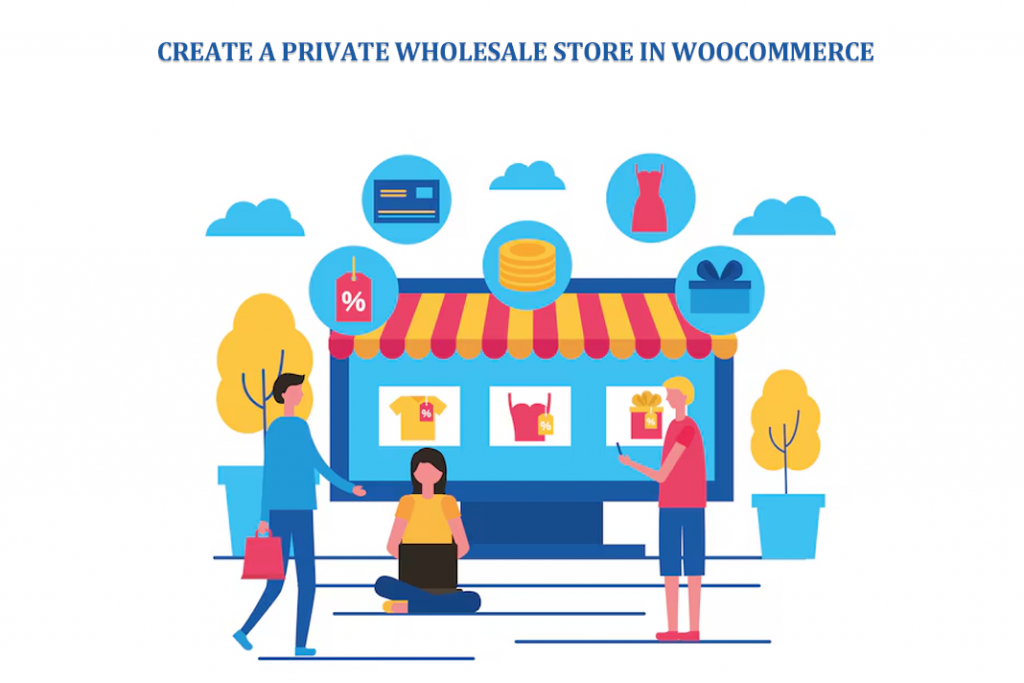
Ever wondered why some online stores don’t show their products unless you log in first? It feels a bit exclusive, right. That’s exactly the idea behind a private store. Not every business wants to shout its prices to the whole internet. Some prefer control. Quiet access. Only the right people allowed in.
Imagine you run a wholesale business. You’ve got bulk pricing, special deals, sensitive margins. Now picture a random visitor browsing everything freely. Doesn’t sound right. That’s where a WooCommerce Private Store changes the game. It keeps things behind a door. A simple login door.
In this guide, we’ll walk through how to build that kind of store. Not in a boring, robotic way. More like how you’d actually do it. Step by step, with real thoughts, small mistakes, and practical moves.
What is a WooCommerce Private Store?
A WooCommerce Private Store is a store that’s not public. But it’s more than just hiding things. It means:
- Products are invisible to guests
- Prices are locked
- Access is controlled
Think of it like a warehouse. From outside, nothing much to see. But inside? Full inventory, active business, real transactions happening. Sometimes you hide everything. Sometimes just a few products. Depends on your strategy. And yeah, you don’t always need to overcomplicate it.
Why Create a Private Wholesale Store?
Not every customer should see wholesale prices. That’s just how business works. Imagine Ahmed runs a small distribution company. He once had all his prices public. Retail customers started questioning, comparing, even complaining. It got messy. So, he locked it down. Problem solved. Here’s why people do it:
- Protect pricing
Keep wholesale rates away from regular buyers - Control access
Only verified customers get in - Avoid confusion
No mix between retail and bulk pricing - Stay competitive
Competitors can’t spy easily
It’s not about hiding. It’s about managing who sees what.
Key Features of a Private Wholesale Store
Now this is where things get interesting. A good private store isn’t just locked. It’s smart. You’ll usually see features like:
- Login requirement
No login? No access. Simple - Registration system
New users can apply - Approval flow
You decide who gets in - Role management
Wholesaler, retailer, distributor whatever fits - Redirects
Visitors get pushed to login pages
Not complicated. But powerful. When combined, they create a controlled environment that just works.
Steps to Create a Private Wholesale Store in WooCommerce
Let’s build this thing. Not perfectly. Just realistically.
Step 1: Install WooCommerce
First things first. You need WooCommerce. No shortcuts here. Set up:
- Products
- Payments
- Shipping
Even if the store will be private, the backend still needs to be solid. Many people skip details here. Then later problems.
Step 2: Choose a Private Store Plugin
Here’s where the magic starts. WooCommerce alone won’t lock your store. You need a plugin. Look for:
- Full store hiding
- Product-level control
- User approvals
- Custom login pages
Don’t overthink it though. Pick something reliable and move forward.
Step 3: Enable Private Store Mode
Once installed, you’ll find settings. Usually simple toggles. Turn on private mode. Then decide:
- Hide entire store
- Hide only shop page
- Hide specific items
Some people go all-in. Others prefer partial visibility. There’s no single correct way.
Step 4: Configure User Registration
Now think about your users. How do they enter? You’ll need a registration form. Not too long. Not too short. Basic setup includes:
- Name
- Business info
Optional:
- Role selection
- Custom fields
Don’t make it complicated. People hate long forms. They just leave.
Step 5: Set Up User Approval System
This part matters more than it seems. Two options:
- Manual approval
You review every user - Automatic approval
Everyone gets instant access
Manual is safer. But slower. Automatic is faster. But risky. Most wholesale stores go manual. Just feels more controlled.
Step 6: Restrict Product Visibility
Here’s where you shape the experience. You can:
- Hide all products
- Show only some
- Lock premium items
Some store owners do a mix. Public catalog + hidden pricing. It works surprisingly well.
Step 7: Customize Login & Registration Pages
Now let’s talk design. Even private stores need to look good. You can tweak:
- Logos
- Titles
- Backgrounds
- Layouts
Add a video background if you want. Or keep it clean. Doesn’t matter much, but it does affect perception. First impression still counts. Even behind a login.
Step 8: Configure Redirect Rules
Imagine a visitor lands on your site. They click “Shop” and redirected. That’s intentional. Set rules like:
- Redirect to login
- Redirect to signup
- Redirect to custom page
It keeps things structured. No confusion.
Step 9: Enable Email Notifications
This part is often ignored. But shouldn’t be. Emails help a lot. Set up:
- Registration confirmation
- Approval notification
It reassures users. Makes your store feel active, alive. Not broken.
Best Practices for Managing a Private Wholesale Store
Building is one thing. Running is another. Let’s keep it real. Things can go wrong if you’re careless. Some tips:
- Verify users properly
Don’t approve everyone blindly - Keep pricing clear
Avoid confusion inside the store - Make navigation simple
Complicated layouts kill conversions - Stay updated
Plugins break sometimes. It happens - Track activity
Know who’s buying, what’s working
Not rocket science. Just consistency.
Common Challenges and Solutions
You will face issues. Everyone does. Here are a few common ones:
- Users can’t log in
Usually a settings issue - Spam registrations
Add CAPTCHA. Helps a lot - SEO concerns
Private stores aren’t indexed. That’s normal
Don’t panic when things break. Most problems are small. Just annoying.
When Should You Use a WooCommerce Private Store?
Not every store needs this. But if you:
- Sell wholesale
- Offer bulk pricing
- Work with distributors
- Want controlled access
Then yes it makes sense. A WooCommerce Private Store isn’t just a feature. It’s a strategy. You’re choosing privacy over exposure. Control over openness.
Conclusion
So here we are. You’ve got the idea, the steps, the reasoning behind it all. Building a private wholesale store in WooCommerce isn’t complicated. But it does require thinking. Small decisions. Careful setup.
A WooCommerce Private Store helps you protect your business. Your pricing. Your customers. It creates a cleaner system. Less noise. More control.
And honestly, once it’s set up, it just works. Quietly. Efficiently. The way a wholesale store probably should. Not everything needs to be public. Sometimes, keeping things behind a login is the smarter move.
More Stories
How to Optimize Amazon PPC Campaigns for Lower ACoS and Higher Sales
How to Improve Flipkart Product Visibility?
How Shopify SEO Services Can Boost Real Estate Listings Online